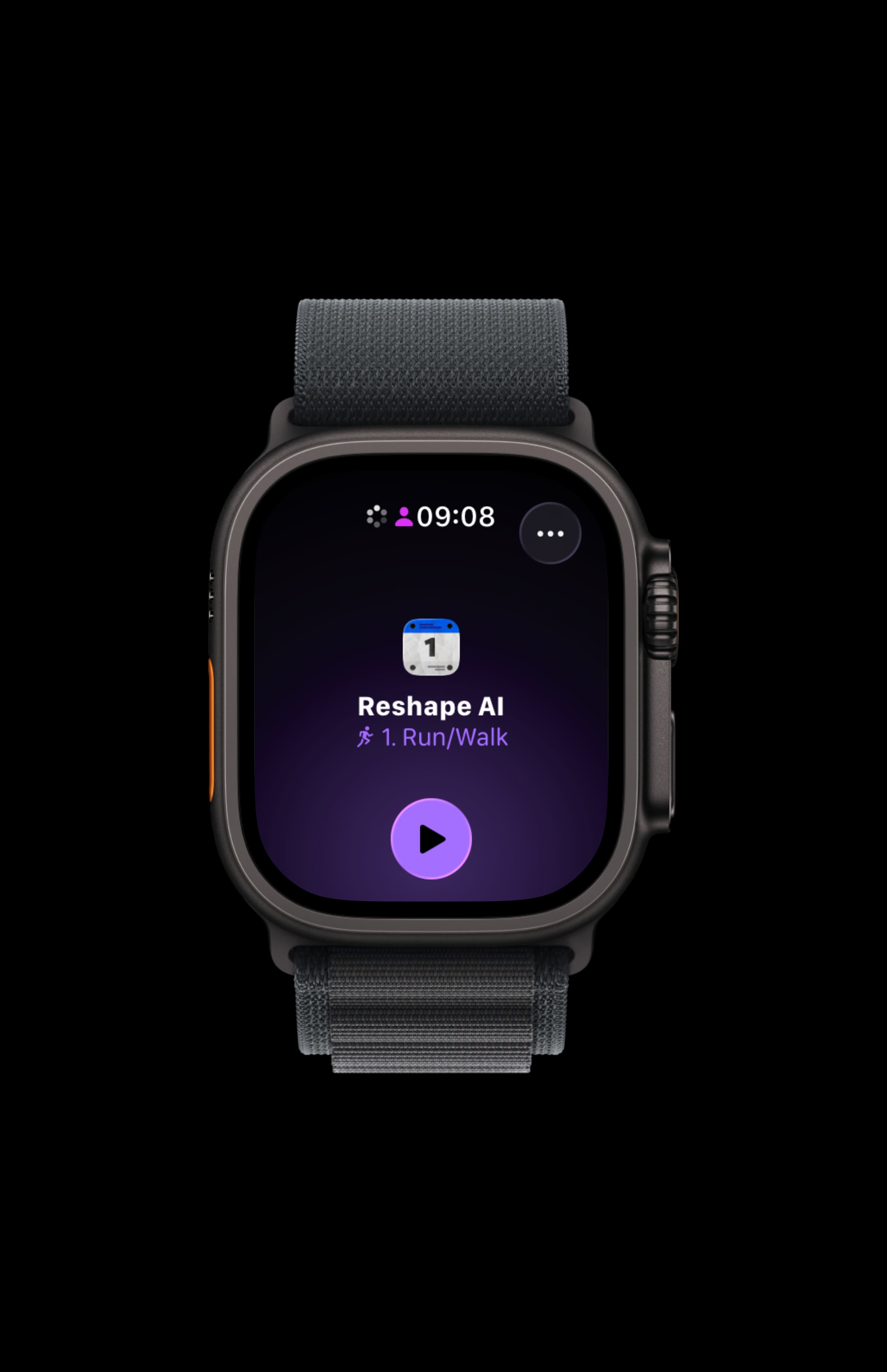
Pair the Reshape Watch app once. Every workout syncs to your wrist the night before. Start it from the Workout app, follow the pace targets on the face, feel the haptic cue at every segment switch. Heart rate, VO2Max, and recovery flow through Apple Health into next week’s plan.
How a Reshape workout gets to your Watch
Pair the Reshape Watch app from the Watch app on iPhone the same way you’d add any third-party Watch app. After that, the next workout in your plan shows up at the top of the Reshape Watch app automatically the night before. No manual export. No scheduling. No copying paces from one screen to another.
When you’re ready to run, open Reshape on the Watch, tap the queued session, and the structure loads on the face. The workout records as a native Apple Watch outdoor run, which means it counts toward your Apple Fitness rings, writes to Apple Health, and shows up in the Activity history like any other run.
Following the workout on your wrist
The face shows current pace, target pace for the active segment, and time or distance remaining in that segment. As you approach a switch (warm-up ending, first interval starting, recovery beginning), the watch fires a haptic pattern. A short buzz for a recovery boundary, a stronger pattern for an interval boundary. You don’t need to look at the screen to know which way the workout is shifting.
Tap the Digital Crown or rotate it to see splits, heart rate, average pace, or the next segment queued up. Audio cues play through AirPods or any connected Bluetooth headphone if you want them; turn them off in Reshape’s Watch settings for the wrist-only flow.
Reshape and Apple’s Workout app
Reshape uses the same primitives that Apple’s built-in Workout app for running does. Structured intervals, custom workout segments, alerts, splits. The Reshape session is a first-class Apple Watch workout, not a layer bolted on top. That means it behaves like the runs you’re already used to: rings close, splits save, the data flows into Health automatically. See Apple’s full list of Workout types for context on how Outdoor Run sits in the ecosystem.
What the Watch reads that shapes your next week
The watch contributes more than just GPS. Across the run, it captures real-time heart rate (so the engine can see whether your easy pace was actually easy effort or sneakily hard), heart-rate zones per segment, VO2Max trend, and Apple’s recovery signals between sessions. All of that flows through Apple Health into Reshape’s weekly rewrite.
Pace alone tells the engine whether you completed the session at the requested intensity. Adding HR tells it whether your aerobic base is responding, whether recovery days are landing, and whether you’re trending fitter or fatigued. The plan reads richer data and the next week reflects it.
Audio cues plus haptics
With AirPods or Bluetooth headphones connected, you get audio prompts at every segment boundary plus the haptic buzz on the wrist. Without audio, just the haptic, which is enough to run a session cleanly. Reshape’s Watch settings let you tune cue volume, disable audio, or switch off haptics if a particular run calls for it.
Which Apple Watch models work
Reshape needs watchOS 10 or later. That covers Apple Watch Series 6 onward, Apple Watch SE (2nd generation), Apple Watch Ultra, and Apple Watch Ultra 2. Apple keeps the canonical watchOS compatibility list up to date if you want to confirm a specific model. Newer models (Series 9+, Ultra 2) have better GPS in tough conditions like dense urban blocks or heavy tree cover, but the Reshape experience is the same on all of them.
Cellular versus GPS-only doesn’t change how the workout records or syncs. Cellular is a convenience layer for music, calls, and messages without the phone along. The training side doesn’t depend on it.
What if you don’t want to wear the Watch
The full plan also runs on iPhone alone, with audio cues for paced intervals and the same weekly engine reading from Apple Health. Read how Reshape works on iPhone for the iPhone-only walkthrough. Plenty of runners alternate, watch on weekend long runs, phone in a pocket on weekday easy runs.
Common questions
Pair the Reshape Watch app once. After that, every workout in the plan syncs to your wrist automatically the night before. There's no manual export, no scheduling, no copying paces over. Open the Workout app on the Watch when you're ready, pick the Reshape session at the top, and start. The structure is already loaded.
Current pace, target pace for the active segment, time or distance remaining in the segment, and the next segment queued up. The face updates in real time so a glance tells you whether to push, hold, or ease back. Haptic patterns fire at every segment boundary so you know when to switch effort without looking at the screen.
No, not for the workout itself. Apple Watch has its own GPS and runs the session independently. If you have a cellular Watch, music streaming and messages work without a phone too. If you have a GPS-only model, leave the phone at home for the run; the workout still records and syncs to Apple Health when you're back in range.
Any Apple Watch running watchOS 10 or later. That covers Apple Watch Series 6 onward, Apple Watch SE (2nd generation), Apple Watch Ultra, and Apple Watch Ultra 2. See Apple's compatibility page for the current list. The newer the model, the better the GPS accuracy in tough conditions, but the Reshape experience is the same across all of them.
Real-time heart-rate zones during the run, average HR per segment, peak HR, VO2Max trend, and Apple's recovery and stress signals. All of that feeds into how Reshape composes the next week. Pace-based zones still work without HR data, so iPhone-only runners aren't missing the plan logic, but the Watch sharpens the picture the engine sees.
Both, depending on what you've connected. With AirPods or Bluetooth headphones, you get audio cues at segment boundaries plus the haptic buzz on your wrist. Without audio, just the haptic. You can disable audio in Reshape's settings if you prefer the wrist-only flow.
Yes. Reshape records the workout the same way Apple's built-in Workout app does, so Move, Exercise, and Stand rings fill normally. The session shows in Apple's Fitness app, in Apple Health, and (if you've connected it) in Strava. Nothing about being a Reshape workout makes it less native.
If you started a regular outdoor run from Apple's Workout app instead, the run still writes to Apple Health, and Reshape reads it from there for next week's plan. You won't get the per-segment pace prompts on the wrist for that session, but the data still feeds the engine.
Not for the workout itself. The Watch records the run either way. Cellular is a convenience for streaming music, sending messages, or getting calls without your phone. If you usually run with the phone in a pocket or armband, GPS-only is fine.