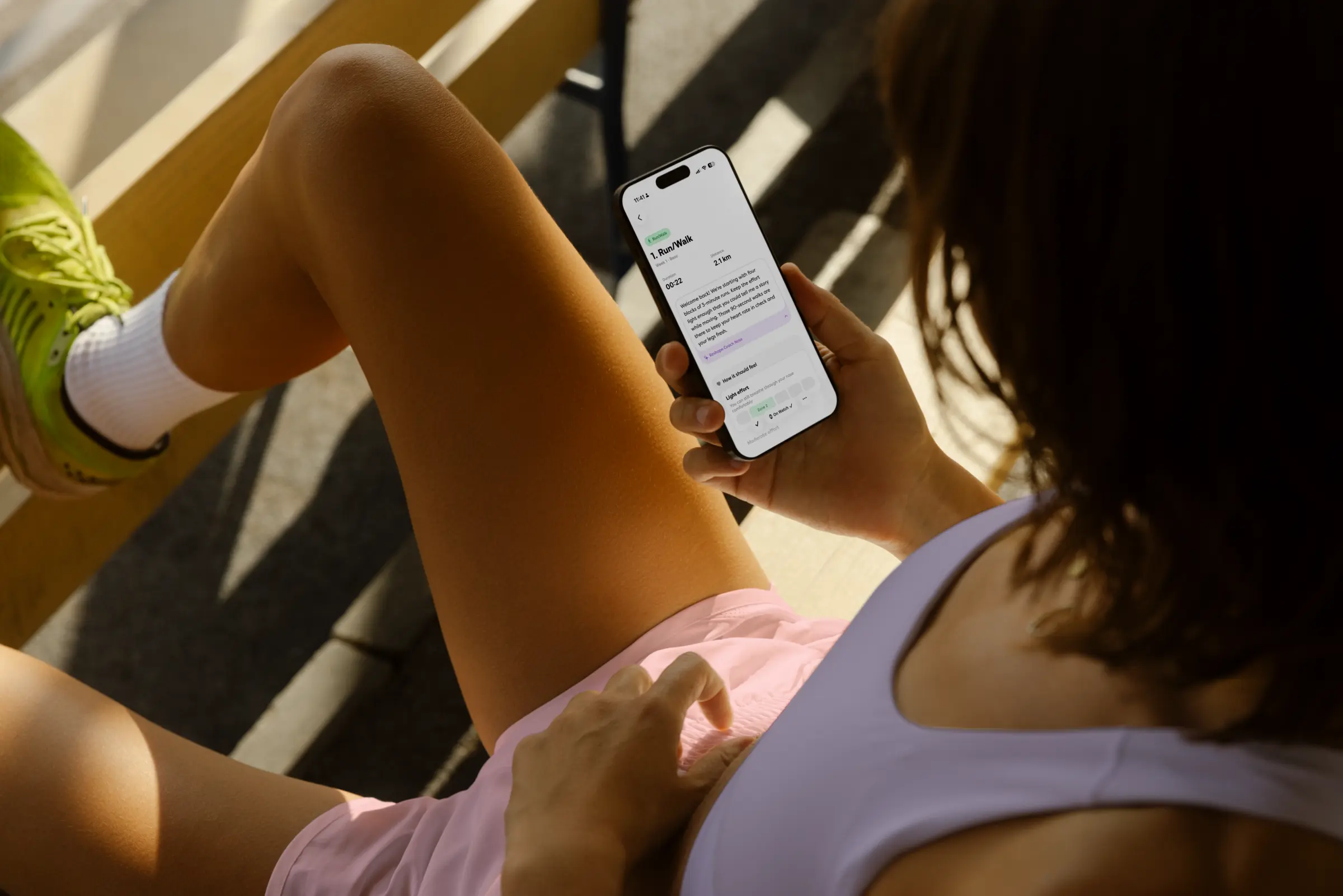
Yes, Reshape works on iPhone alone. Open the workout, start the run, follow the audio cues for each interval. The session writes to Apple Health like any native run, and the plan rewrites next week from what you actually ran. Apple Watch is optional. Same engine, same coach notes, either way.
How a Reshape workout plays out on iPhone
The night before a run, the next workout sits at the top of the home tab with its segments laid out: a warm-up, the main set, the cool-down. Tap into it and you see the structure (six 800-meter reps at 5K effort, two-minute jog recovery, et cetera) and a coach note explaining why the session is in the plan this week.
When you start the run, the app shifts into workout mode. Audio plays a cue at the start of each segment with the target pace. Another cue plays as a switch approaches. A final cue marks the segment boundary. Headphones in, phone in your pocket, and you don’t have to look at the screen unless you want to.
The screen is there if you do want it. A live timeline shows the current segment, the next segment, current pace versus target pace, and a progress bar through the session. Tap once to pause, tap again to resume. End the workout when the cool-down finishes.
How Reshape tracks your run
The iPhone uses GPS for location and the motion coprocessor for cadence and step counts. Distance accuracy on open-sky runs sits within roughly 1 to 3 percent of truth, which is the same range a watch produces in similar conditions. The session writes a full HKWorkout record into Apple Health with distance, route, splits, and active calories.
The route gets rendered on the map in Health, your Move and Exercise rings fill, the workout shows up in Apple’s Fitness app like any native run, and Strava (or any other app that reads from Health) picks it up automatically. From the data side, an iPhone-only run is indistinguishable from an Apple Watch run.
Reshape and Apple’s running stack
Reshape doesn’t replace anything Apple ships; it slots in next to it. Your runs flow through Apple Health, so your rings close in the Fitness app and trends update there. If you also use Apple’s built-in Workout app for non-running activities, those still record normally. Reshape’s job is the running plan and the per-session paces; the rest of the Apple ecosystem keeps doing what it already does.
How your plan adapts every week, iPhone-only
The plan doesn’t care which device tracked the run. It cares about what landed in Apple Health. After an iPhone session writes to Health, Reshape reads the outcome (distance, pace per segment, completion, heart rate if available), updates your current VDOT, and composes the next week’s sessions inside the periodization rules. Same engine that powers the Apple Watch flow. Same coach notes. Same weekly rewrite.
That means a missed run gets reflected, a strong week gets credit, and the next week starts from the runner you actually are right now. None of that depends on the watch.
Carrying your iPhone
Three setups cover most runners: an arm strap (hands-free, screen visible), a leggings or shorts pocket (works fine for short and medium runs), or a lightweight running belt (most comfortable for anything past an hour). Whatever you already own is the right answer for run one. Reshape doesn’t care where the phone sits; the GPS works the same.
What changes if you wear an Apple Watch later
Pair the watch and the same workout starts appearing on your wrist alongside the iPhone version. Pace targets show up on the face, haptic cues fire at each segment switch, and the watch reads heart-rate zones in real time. Your training history transfers automatically because everything has been writing to Apple Health all along. Nothing to redo. Read how Reshape works on Apple Watch for the full Watch walkthrough.
Common questions
Yes. The full Reshape plan runs on iPhone alone. Every workout, from easy aerobic minutes to paced intervals to long runs, lands in the app the night before with the structure laid out segment by segment. You start the workout from the iPhone, follow the audio cues for each interval, and the plan reads the run from Apple Health afterward. Same engine, same coach notes, same weekly rewrites whether you wear a watch or not.
Audio. Reshape plays a cue at the start of each segment with the target pace, plays a midway cue when a switch is coming, and plays another cue at the segment boundary. Plug in headphones and you get the prompts hands-free. No staring at the phone. The iPhone screen shows the same timeline if you want a visual reference.
On open-sky runs (parks, suburbs, country roads) modern iPhones track distance within roughly 1 to 3 percent of truth, which is within the same range as an Apple Watch in similar conditions. Dense city blocks, tunnels, and tree cover reduce accuracy on either device. Reshape uses the same Apple Health record you would get from an Apple Watch run, so the data the engine sees is the same kind.
Yes. Reshape writes the workout to Apple Health like any native run, with distance, pace, route, heart rate (if you pair a strap or AirPods Pro), and active calories. Your Move and Exercise rings fill normally. The Fitness app shows the workout. Anything that reads from Apple Health (Strava, third-party apps) gets it too.
Pace-based zones work without any heart-rate input, and that is enough to drive the plan for most runners. If you want HR-based features active, AirPods Pro 2 (with the heart-rate sensor) and most Bluetooth chest straps pair to iPhone and write into the same Apple Health record Reshape reads. Pair them once, run normally, and the engine starts using HR.
Most runners use one of three options: a phone armband (cheap, hands-free, easy to read), a leggings or shorts pocket (most common, fine for shorter runs), or a small running belt (most comfortable for long runs). Try whatever you already own first; gear isn't the limiter here.
Nothing breaks. Pair the watch in Settings, and the same workout starts showing up on your wrist alongside the iPhone version. Your training history stays. The plan keeps adapting. You don't restart anything. See how it works on Apple Watch for what changes once you wear one.
Yes. The weekly rewrite reads from Apple Health, not from the watch. Every iPhone run lands in Health. Reshape pulls completion, pace, and HR (if available), updates your VDOT, and composes the next week. Identical loop to the Apple Watch flow.